

Table of Contents
ToggleThe ever-rising identity theft; the back and forth privacy battles between consumer and Big Corporate “overlord” companies; the advancing ease with which we fly and travel very far distances from our homes and offices. More and more, these everyday encounters have brought a rather long-standing but often overlooked technology—“ VPNs ”—into the vernacular of even your average Jane Doe homeowner looking for data protection at a local Starbucks or (let us admit….more likely!) a way to skirt copyright restrictions on video streaming subscriptions.
VPNs trace their earliest developments all the way back to the early nineties. By 2000, the first forms of true VPNs were emerging. While big businesses have used VPNs for almost three decades, their use-case has until recently been fairly restricted and hampered by very cumbersome setup and expensive deployments requiring an entire IT department. What the past few years has brought us is not necessarily anything new in the core technology of VPNs, but now—literally—any an average user can in some fashion or another setup and deploy a working VPN on any personal device.
What and Why
The simplest way to ponder what is exactly a VPN is to simply think of data running to and from your computer or device. In your home, your “intra-network” would be anything that goes to and from devices without requiring the internet. Say you want to print a recipe on your iPhone. Your smartphone uses its WiFi connection to link to your house’s network, but it does not look for the internet. In other words, it does not “go outside your network”.
Rather, the phone sees the printer on your network and directly links to it in order to communicate and send data. Likewise, for a business, let us say an architectural studio has a central server that stores CAD files for all its clients. An engineer could access those files from his work desk and then save them back to the Serve for others to access. In all of these instances, data never leaves your network. It does not use the Internet and therefore only those network devices within your home or your office would ever see the data.
The problem arises when we need to send a digital piece of data to another network: For instance: Let us say you want to send an e-mail to your accountant with an attachment. You will compose the e-mail and attempt to link the attachment from your computer/device; your computer will use your personal (private) network to connect to the internet; it will link to some ISP provider somewhere; that attachment data will go through several network hubs and pass by thousands of different networked devices; ultimately find the intended end network (which could be in a different country) of your e-mail provider; and now finally connect to the device on that network that is controlling your e-mail inbox; …AND then when you actually send the e-mail, all that will happen again in reverse from the e-mail provider’s Server all the way to your accountant’s computer.
As you can see, while this is all usually mostly safe, there are several points of vulnerability where sensitive data could be intercepted and stolen. But far worse, a big concern comes when the network you are using is not a private network. If you are at home, no big deal. At work; it is probably all good. But what about your favorite barista café? What happens when you are reading a book at your Barnes & Nobles (and yes!…I still do support the Barnes and Nobles ten minutes from my house). When you are using public WiFi, any other person on that same WiFi network can potentially intercept your data traffic before it ever even hits the Internet. What is worse, most companies who offer these public WiFi “hotspots” put only the most basic of efforts in setting up these hotspots and their security is resultantly extremely weak (local airports are notoriously bad with implementing proper network protocols on public networks).
Isn’t everything Encrypted?
Yes! In fact, further back than even the ancient Greeks, militaries have always buried secret communiques in encrypted, hand-written messages. It is with these same basic principles that we address some of the vulnerabilities that exist when transferring data within insecure environments. Rather then preventing data from falling in to the hands of bad actors, encryption is the direct opposite. Encryption assumes your data will be seen by others, but makes it so hard for the data to ever be “decrypted”—it could take years or even decades—that for all intended purposes, it is useless to any thief.
The problem with encryption lies not int the principle concept, but in the practical reality. Encrypting and then decrypting takes time and a lot of processing power. While it is true that the more encrypted something is the safer it is, it also means that it could take prohibitively long to encrypt and decrypt in the real day-to-day. Moreover, some devices might not even have the processing power to perform those tasks. For example, if every time you wanted to read a new e-mail in your inbox if it took five minutes, no one would ever check their e-mail. For both these reasons—processing power and time—there is always a balance struck with what level of encryption a computer is required to use. It may surprise, but many times we send information completely unencrypted, and when we do encrypt, the default methods chosen can leave a lot of vulnerabilities.
VPNs to the Rescue
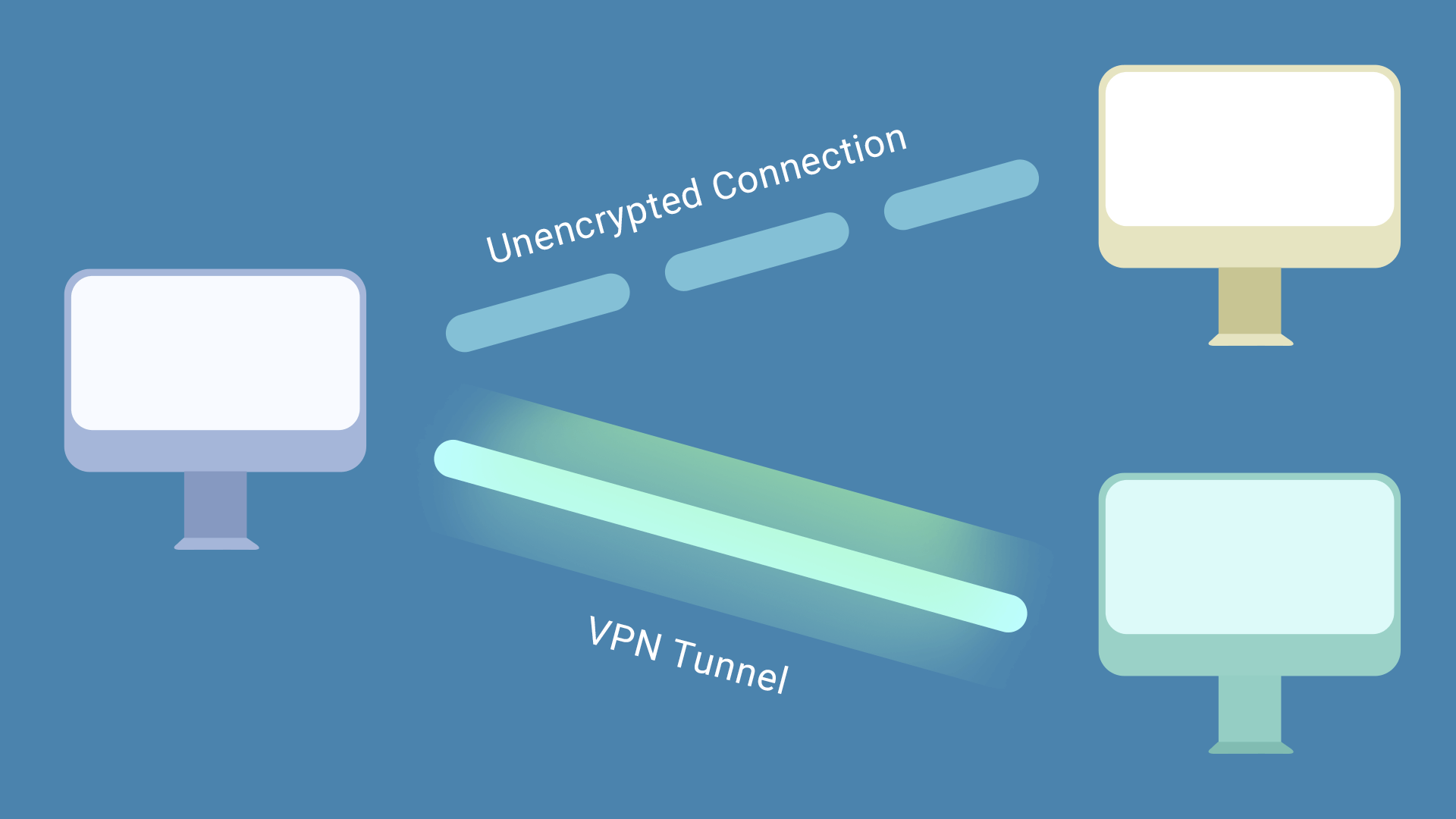
VPN stands for, Virtual Private Network. Taking everything we have discussed so far, the name itself should hint at the solution it presents for our problem. Simply put, a VPN turns any public network you are using into your own private network: More specifically, (1) a VPN uses the internet to create a tunnel into your “home network,” regardless of whether that is a personal or a business network. (2) Your computer than talks to your home network through that tunnel.
(3) In effect, your device is now operating just as though it were still inside the home network.
A tunnel is the standard analogy for VPN because it suggests the concept that a bad actor scouring a public WiFi network; or who has hacked into the Servers of an internet (ISP) provider; or even someone who has physically broken into a building and has direct access to a network……they
might be able to see a tunnel of data, but they would just be viewing the tunnel transport mechanism (many times they cannot even tell that!) without seeing the actual data itself.
The mechanisms behind VPN is a little beyond the scope of our conversation here, but I will quickly say that what elevates VPN technology is that it is an evolution from just a simple concept of encryption. While it ultimately still relies on encrypting data, it combines a host of various “handshake” network technologies and packet encapsulation protocols that not only obfuscate the data itself, but protect the “tunnel” and initiate and guard transmissions beyond simply relying on the encryption itself.
What is the Effect of a VPN
Understanding a little bit about the security of a VPN also helps us to understand what it offers. The primary advantage of a VPN above any other kind of data transmission option is that the network your device is connected to through the VPN—for all intents and purposes—sees your device as being physically connected as though it were actually still on the premises. In other words, if a lawyer has a WiFi printer in their office, that lawyer could be working on a case brief while on the train to work and push print within a Word document (without any other complicated steps or configurations), and the document will be waiting on his printer all ready to grab as soon as he enters his office. To put it another way, a VPN is “almost” like having an infinitely long network cable connected back to your home network which is then always physically tethered to your personal device.
In addition to similar such convenience features, you could also access stored networked files or even control local devices that otherwise do not have remote capabilities. I have seen VPNs used to monitor boiler control systems…systems which traditionally might have allowed local monitoring from a networked terminal on premises, but which did not have any remote capability. Or even for the homeowner, we had a client who had a simple automated water system for one of those inside garden setups that are becoming more popular. The system was very simple and had no internet access but instead used two triggering remote pads mounted on the wall but networked together. We were able to use a VPN so she could access those trigger remotes and thereby adjust the watering at her leisure from anywhere in the world.
MOST INTERESTING: The biggest difference with a VPN is understanding that once your “tunnel” is connected to the home network, everything you do now flows through your home network. In other words, if you are browsing the internet while out for a walk and go to a banking website, your connection to that website does not go from your iPad to your local internet straight to the bank and then vice versa (the way it normally would). It goes first through your [VPN] tunnel to your home network, and only then out from your home network to the banking website. CRUCIAL POINT: In other words, the banking website does not see your local computer or the internet connection from wherever you are at that moment—there is no way it could—but rather it sees your home network as the connecting source.
Relaxing and Lounging
We have finally reached the heart of VPN advantages. When traveling, if you have ever had to relentlessly, over and over authenticate only to sometimes be locked out of browsing a website…a VPN could be your headache Tylenol. Literally, this was only last week:
Recently one of our clients was traveling on a cruise when an issue arose and they had to rope in their banks but they obviously could not have anticipated these remote circumstances. Even after multiple calls to the bank, they told him he would have to wait until he returned in order for his laptop to be able to access some of the secure documents or even to access the accounts themselves. Fortunately, we had previously built a VPN server not for travel purposes, but because he and a couple other senior executives from their own head offices regularly had the need to connect to a branch location for very specific and secure access. Most of the time our client had the VPN deactivated on his laptop. However, in the midst of the banking fiasco, he opened a web browser while mistakenly forgetting it was still activated, and realized that his laptop automatically prompted for normal log-in to the banking accounts!
We happened to be on a call the week after he came back and he randomly brought up the incident and said it was, “a ‘Wow’ moment.” He explained how he never fully understood the concept of the VPN before, but now realized that the banks saw his computer as being in its normal office location…instead of galivanting around the world on a ship. Needless to say, he was grateful the VPN saved a lot of headache and the potential expense of having to relay everything through proxies or lawyers.
In much the same way, more and more people are looking to VPNs to make travel a more comfortable extension of the home. What has become most appealing in the past few years, is the ability to use your streaming subscriptions while traveling, and especially traveling abroad. In an effort to crack down on password sharing, it can be harder and harder to watch a Netflix or Hulu show if you are away. Most of these subscriptions provide options for temporary travel, but they do not always work and they also tend to limit one to a shorter travel duration. More importantly, the “library” of shows from which you choose, is country specific. If you ever travel to a country in Europe on vacation and fire up your laptop, you will notice that not just some, but many of the shows or movies you had in your playlist will not be available. A VPN easily solves both problems. Now!, whichever subscription service you have will believe you are still in your humble little home. They will not bother you with extra log in steps, nor will you have to suffer in vain when copyright restrictions prevent you from seeing who was just given the boot on the Bachelorette.
BUT!!, how practical is it all?
It is true that in the past it could require the skills of an entire IT department to build and also maintain the security of a VPN. On top of that, many times they were also slow to use. But that is anything but true in todays world. Now that said! If you work for the NSA or if you have the communiques of some breakthrough trillion dollar pharmaceutical formula protected by a VPN; hmmmmm, we obviously put you in a different category, and ya better make sure you have that IT team on retainer 😉
But for us mere mortals, VPN access has become so simple that nowadays you actually can find companies which sell VPN services just as easily as any third-party log in site. In other words, you
(a) pay a monthly subscription, (b) they provide the software/steps to load and establish a personal VPN connection on your laptop, and then (c) that connection links to their Servers through this VPN, and (d) now anything on your device will be (1) protected as it sends data out and (2) will appear as though it is coming from the location of the company who is hosting your VPN account.
These types of VPN approaches have the advantage of being very simple to maintain. Also, they are generally speaking, relatively inexpensive. However, it does not provide any of the benefits we discussed of extending your home office’s footprint. When you have a VPN setup at your home location, that becomes your hub. However, when you purchase VPN through a third party, their location becomes your hub. You gain (a) the security of a VPN tunnel and (b) you can access streaming services as though in your local country despite possibly being anywhere in the world. However, you would still be seen as outside your home network, so many online accounts might still present login issues when they see a different location.
HELPFUL SUGGESTIONS: When signing up for third party VPN services, your big question is asking what you are tying to accomplish. First, most VPNs charge based on how much data you are sending through their Servers. If your primary concern is just to get some simple security or privacy from add trackers when using local WiFi at coffee shops or the airport, a third party VPN could be good option. NOTE: Be careful and only activate the VPN when you specifically need security/extra privacy, and therefore you can keep your VPN data usage low.
CAUTIONS: If you will be downloading huge amounts of data while traveling and connected to one of these VPNs, it could present a problem. Usually these types of data transfers will be extremely slow and some VPN providers will charge very high data tier rates. Also, I highly recommend you research the history and ownership of the VPN provider. While your data to and from their Servers is protected from any prying eyes, the provider itself will now have easy access to your data. If that company is ever hacked, this could present a problem for its subscribed clients. Even more simple, a few shady VPN providers have been found selling ad- data to other third parties. Then too of course, all this can be particularly dangerous if the VPN company is owned or operated by a government that requires on demand access to any of their data.
Cheap, modern simplicity
I definitely want to highlight that there are good VPN providers out there. However!, you do have to make sure you know a little about the technology; also, researching the company itself is paramount. But even then, you really are only getting half the advantages of a VPN
Alternatively: With modern computers becoming more and more powerful, there are a plethora of “with-in reach” options to setup private VPN Servers in an office or even one’s home. Fun factoid: Even an entry-level, modern smartphone has more processing power than the entire sum of all the computers on the Apollo 11 space shuttle that navigated its way to the Moon.
While only just a few years ago, a VPN Server would have necessitated us to install/setup specific hardware with custom programming and necessarily required us to charge any client for regular maintenance to ensure its security was intact; now it is pretty much par the course that any gateway or firewall device we are already installing in a business network—even your small, one-man corner shop—already has the capability to maintain and support a VPN network. While this might have the disadvantage of a one-time upfront complexity, nowadays we can keep that relatively minimal and you gain all the true advantages of a VPN and never have to worry about further cost.
VPNs tunnel to the Future (corny ‘pun’ intended)
I am a huge advocate of what VPNs can offer. While in the past complexity and cost were prohibitive, the costs of adding on VPN capability when building out or upgrading a modern network is—literally—almost nothing. In my experience, the first time somebody integrates a VPN to their normal “mobile” every day, I find it surprises most how often they start utilizing it more and more, even for little things. In fact, once enjoyed, it is a little hard to ever imagine having to go back to, ‘digitally never leaving your home network.’
Mirror, mirror on the wall, but I imagine that in the future not only will VPNs become ubiquitous, but they will become the basic connection for all our portable devices.